3DISCOVO3
Switch → Contact Support
Step 4

Scanning Techniques & Positioning

Following the recommended scan path produces cleaner models and fewer redos.

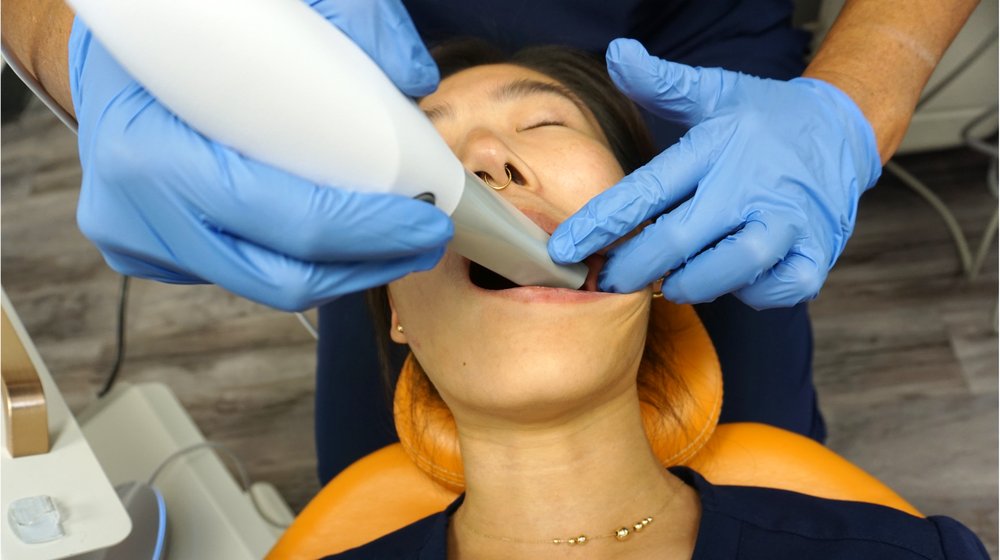
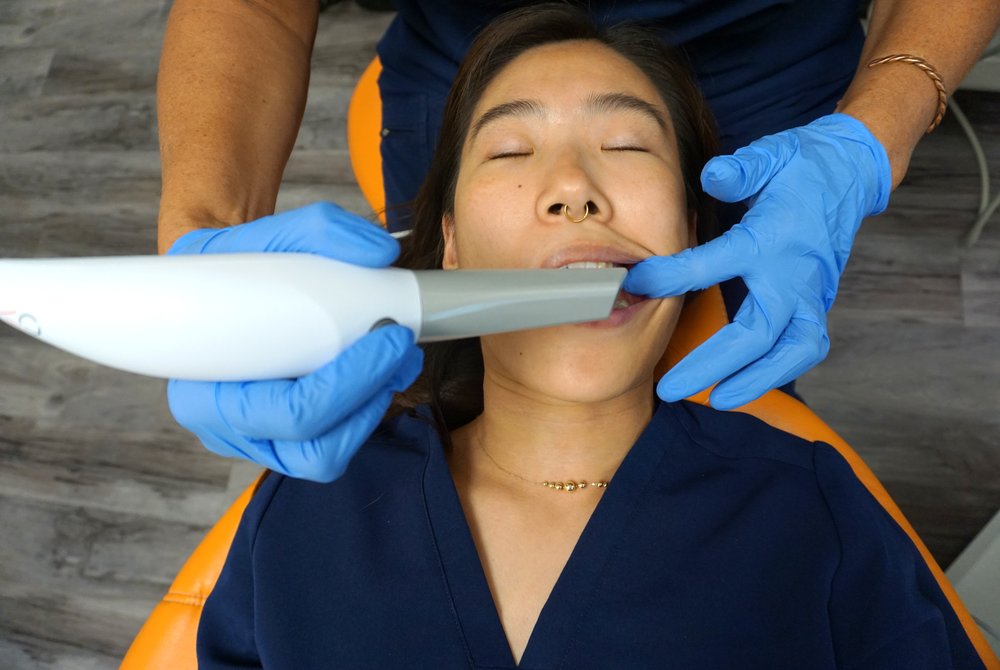
Scanning Techniques and Positioning — clinical photos

Scanning Strategy Tips

Maxillary: 1. Occlusal · 2. Palatal · 3. Buccal — rotate the tip so it faces up.

Mandibular: 1. Occlusal · 2. Lingual · 3. Buccal — in the anterior area, include the incisal edge when scanning the occlusal surface.

Buccal pass: capture part of the occlusal surface at ~45°, then rescan at ~90°, avoiding the gingiva.

Moving soft tissue is the most common cause of scan errors — retract the lips, cheeks, and tongue throughout the pass. Move at a constant speed along the first (occlusal) path, and keep the scanner in contact when possible.
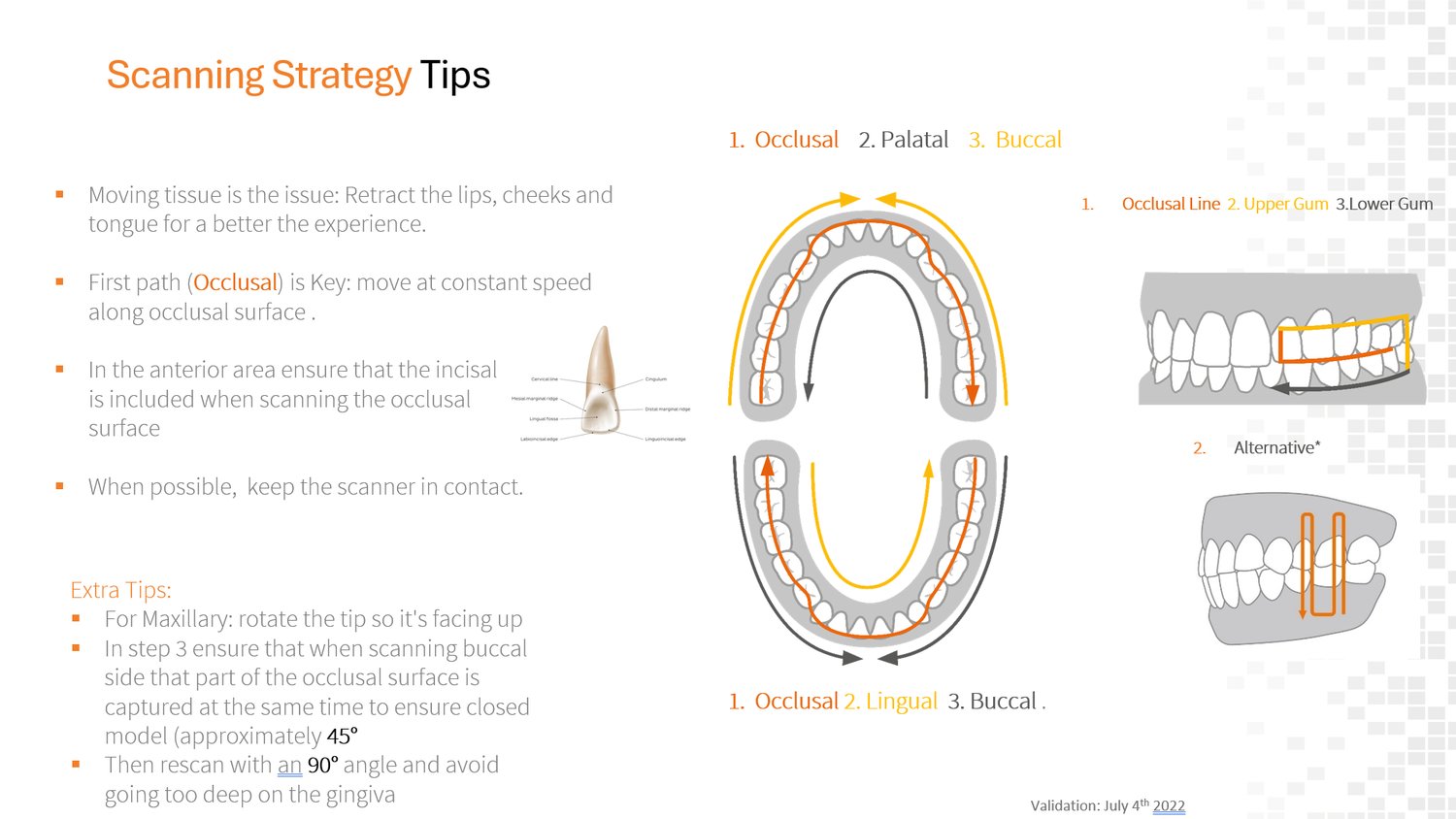
Scanning strategy tips: maxillary and mandibular scan paths

Scanner Grip

Hold the scanner like a pen for the most comfortable, controlled movement.

Scanner held like a pen, side angle Scanner grip, close-up front angle Scanner grip, angled view showing hand position

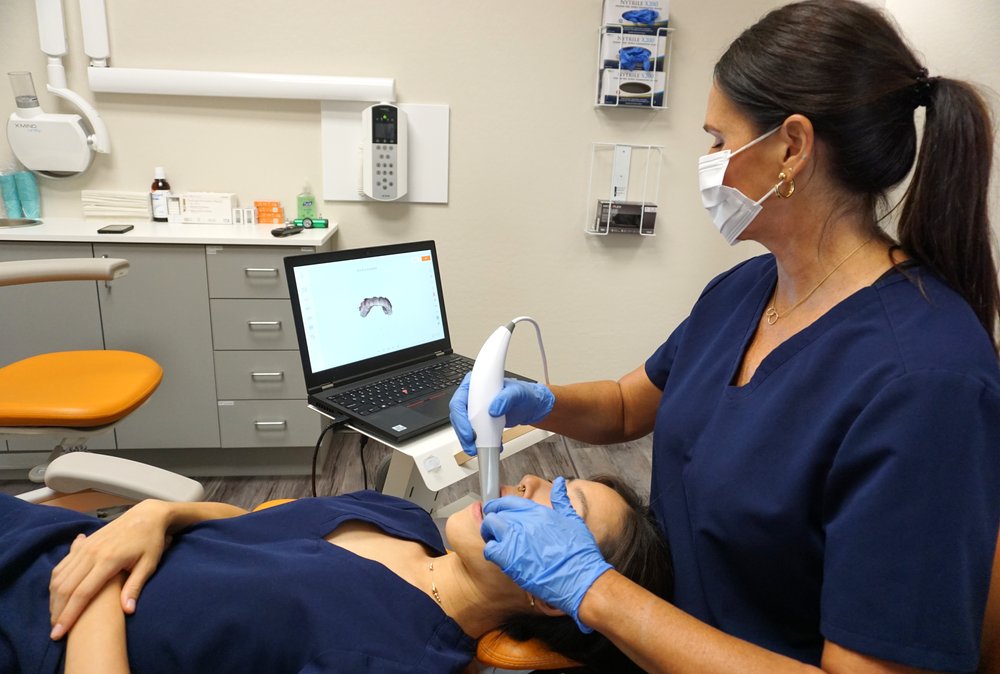
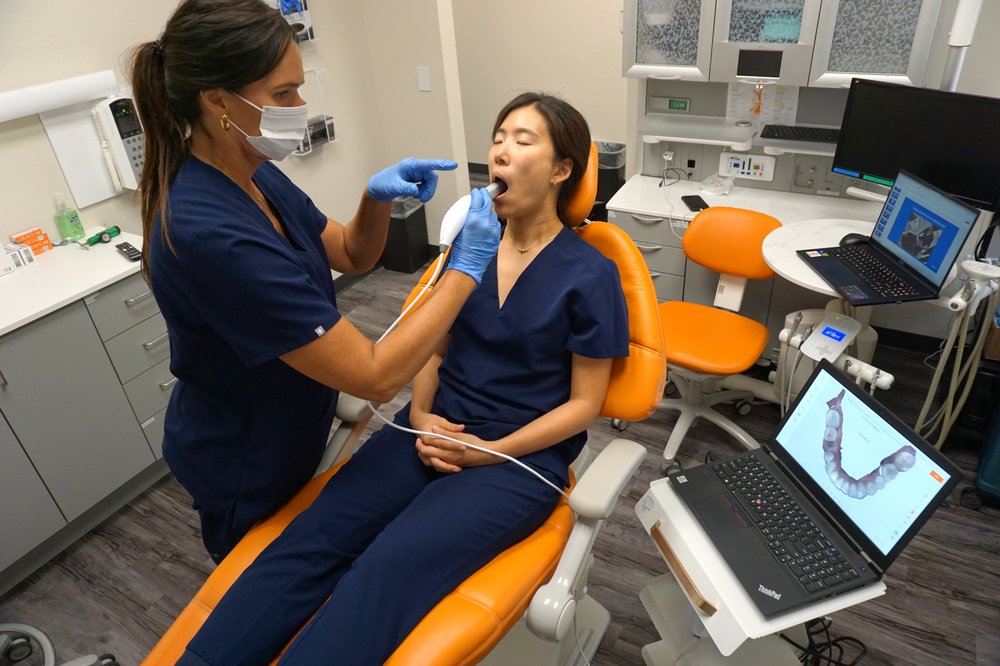
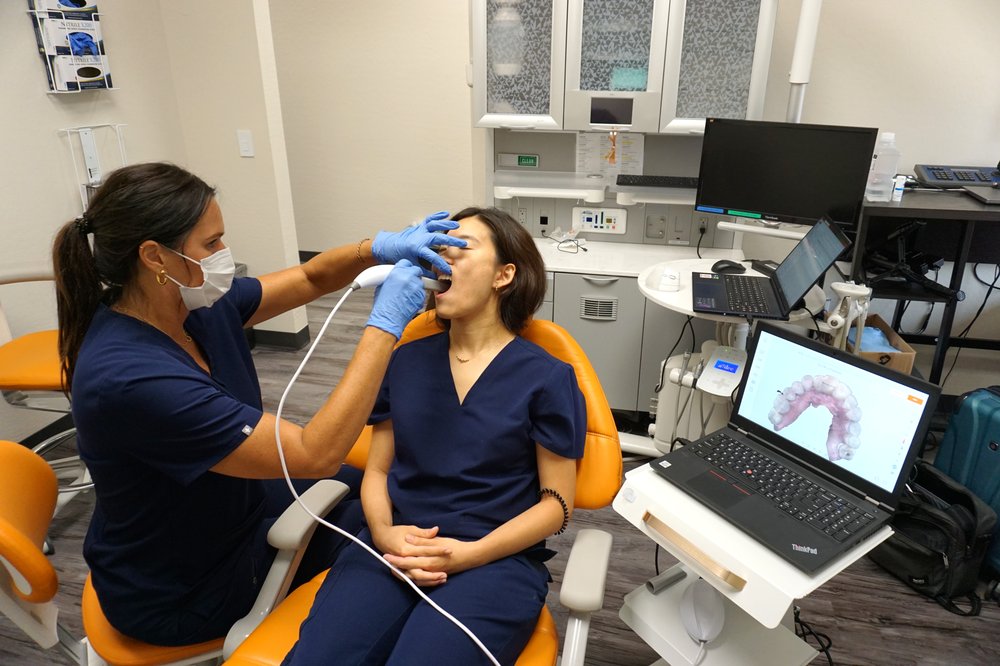
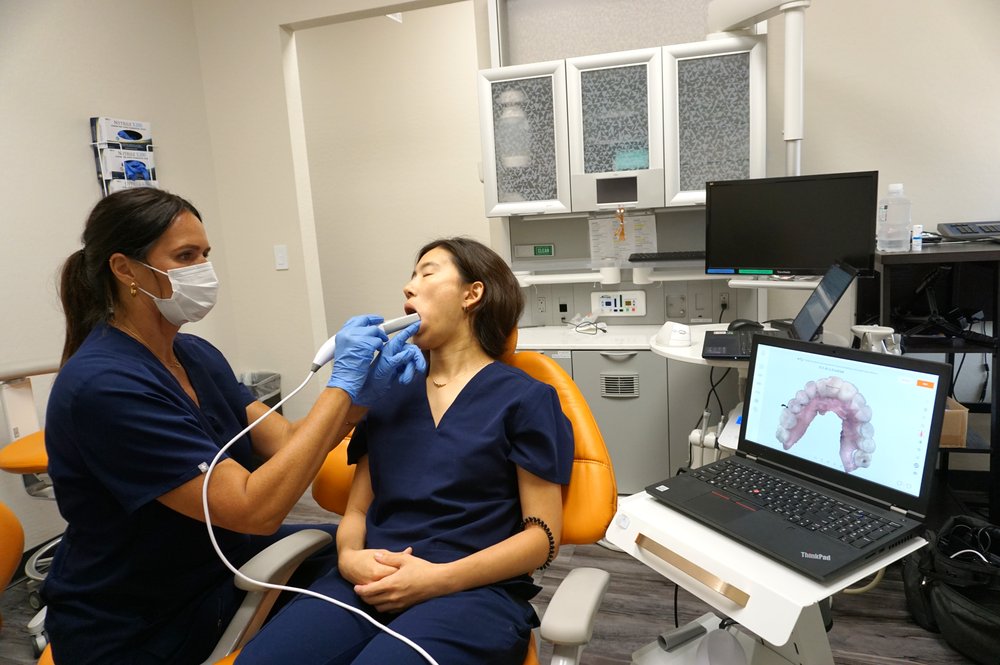
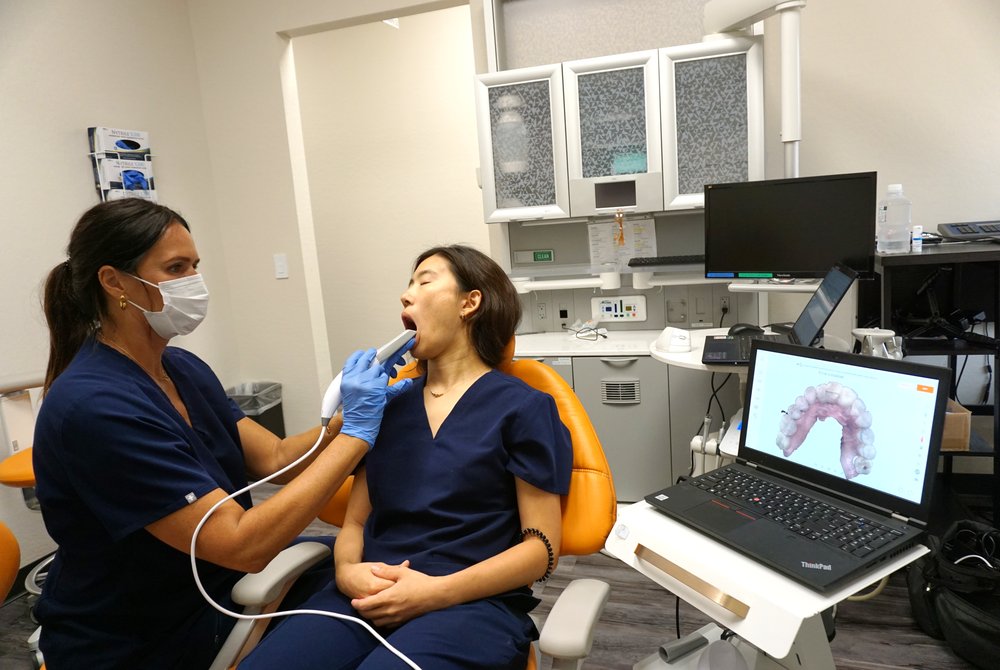
Maxillary Scan — Patient, Scanner & Laptop Positioning

Position the patient and laptop so the operator keeps a clear line of sight to both the mouth and the live scan preview.

Maxillary scan — operator positioning with scanner and laptop Maxillary scan — patient and laptop line of sight

Maxillary Scan — Alternate Positioning

Standing or seated both work — pick whichever gives the clearest sightline and the most comfortable arm position for a full appointment day.

Maxillary scan alternate positioning — seated, pointing to guide the scan Maxillary scan alternate positioning — standing beside the patient

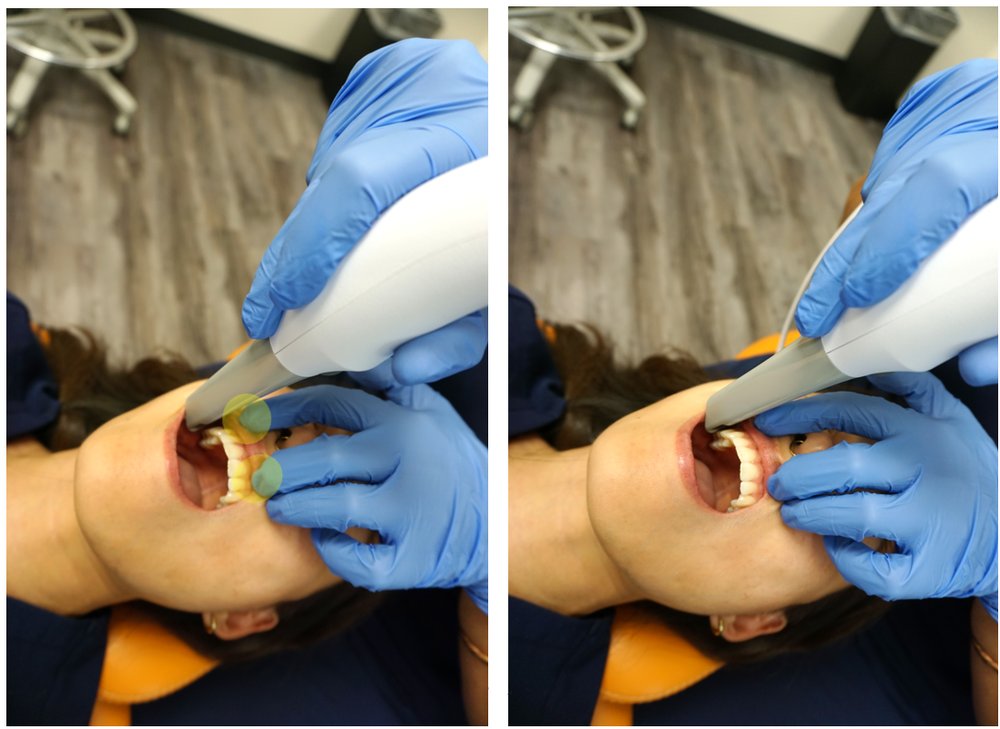
Retracting for the Buccal Pass

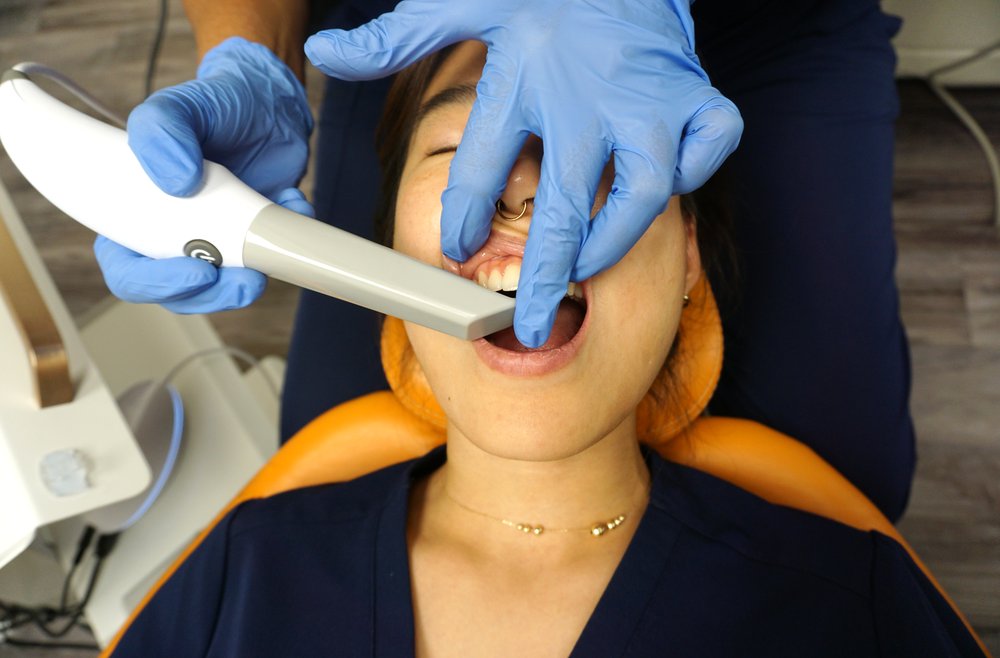
Use your fingers to retract the lip, and use the scanner itself to gently separate the cheek while capturing the buccal surface.

Using fingers and scanner to retract lip and cheek, 45 degree and 90 degree passes

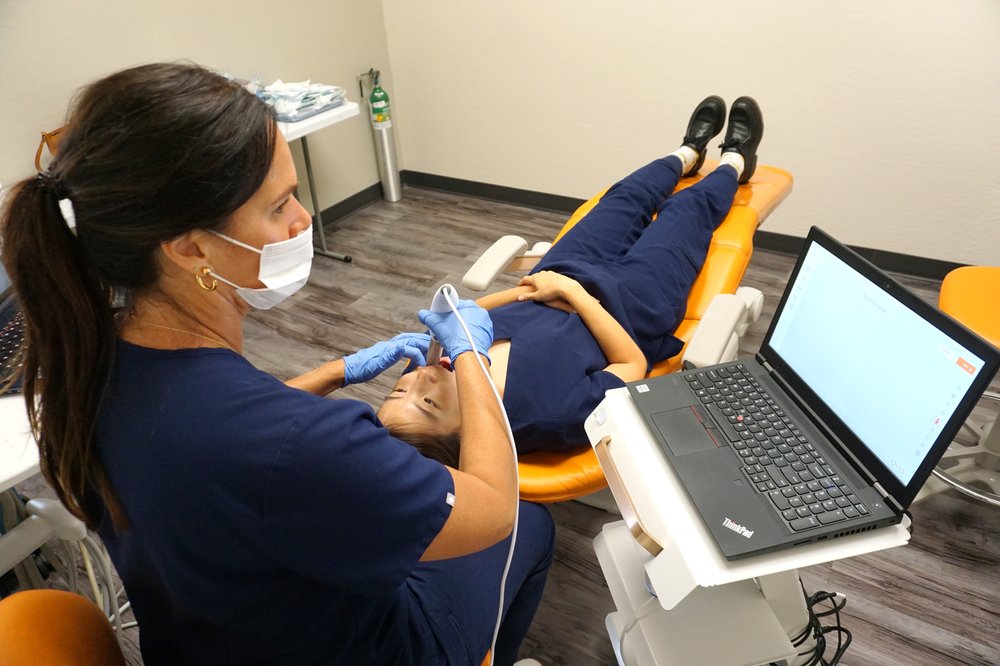
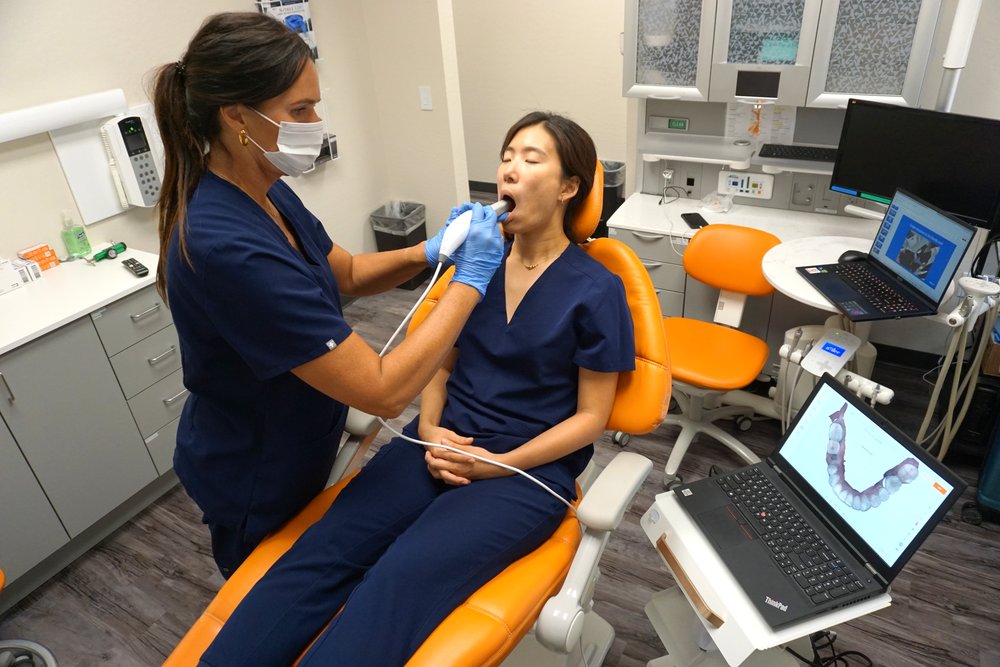
Mandibular Scan — Patient, Scanner & Laptop Positioning

Same principle as the maxillary scan — keep the laptop screen visible while retracting the lip to rock gently on the incisal edge.

Mandibular scan — patient, scanner and laptop positioning, seated Mandibular scan — patient, scanner and laptop positioning, alternate angle

Mandibular Scan — Lower Lip Retraction

Standing or seated, retract the lip and rock on the incisal edge for a clean pass.

Mandibular scan alternate positioning, standing beside the patient

Video Tutorials

Key Reminder

The Bite Is Based on Gingiva

Capture at least 1cm of gingiva in the molar area on both the maxillary and mandibular scans — the bite registration relies on it, not just the teeth.

Scanner positioning, the bite workflow, and full-arch scanning — every video walkthrough lives on the Videos page.

Ongoing Care

Cleaning & Sterilizing the Scanner Tip

Scanning tips should be cleaned and sterilized between patients following the manufacturer's cycle.

Rinse the tip, dry and prepare it, seal it in a sterilization pouch, then run it through the autoclave cycle.

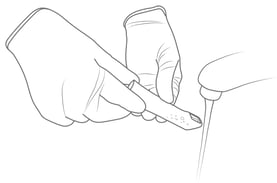
Step 1 · Clean the Tip with Soapy Water

Remove the tip carefully and clean with soapy water. Make sure the mirror is clean and free of smudges, stains, or residue.

Do not use disinfectant to clean the removable tip.

Cleaning the scanner tip with soapy water

Step 2 · Carefully Dry the Tip and Mirror

After drying the tip exterior, carefully dry the interior and mirror with lint-free wipes, taking care not to scratch the surface. The mirror should be free of any noticeable debris or water spots.

Do not use abrasive cloth materials — this will scratch the mirror. Only use microfiber cloth.

Drying the scanner tip and mirror

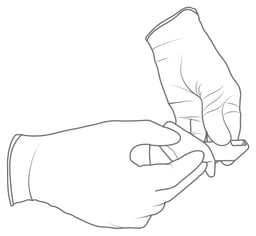
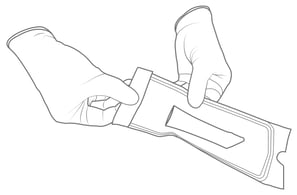
Step 3 · Insert and Seal the Tip in a Sterilization Pouch

  • Make sure the seal is airtight.
  • Each tip should be packaged individually.
Sealing the scanner tip in a sterilization pouch

Step 4 · Sterilize the Wrapped Tip in a Steam Autoclave

Sterilize the wrapped tip in a steam autoclave at one of the following parameters:

  • 132°C (270°F) for 4 minutes
  • 134°C (273°F) for 4 minutes
  • 121°C (250°F) for 45 minutes
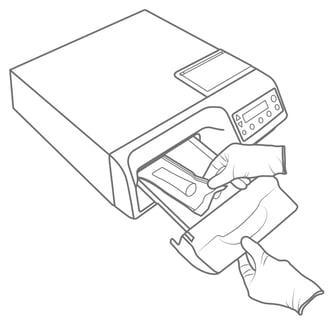
Sterilizing the wrapped scanner tip in a steam autoclave

Step 5 · Remove the Tip at the End of the Dry Cycle

Ensure the dry cycle is complete before removing the tip from the autoclave. If the pouch is damp with moisture, proper sterilization cannot be guaranteed.

Important Safety Notices
  • Always autoclave the tip wrapped in a sealed sterilization pouch — failure to do so will result in permanent stains on the mirror.
  • Tips should not be placed in an ultrasonic cleaner or cold sterile solution. The sterilant will leave a sticky residue or film on the mirror when drying.
  • Do not remove the pouch before the sterilizer completes the full dry cycle.
  • If the pouch is wet or shows any signs of moisture, this can leave water spots on the mirror that affect image quality during scanning.