
Recommended requirements at a glance.
OVO / Heron — Computer Requirements (PDF)
Step 1
Computer Configuration
Getting the best out of the scanner starts with a PC that is fully up to date. Verify every item below ahead of time, before the practice's first scan.
Specifications for OVO – Heron
| CPU Type | Intel i7 or i9 — 14th generation, or Core Ultra 7 / Ultra 9. Minimum 24 MB of Intel Smart Cache (the processor's fast built-in memory). |
| Memory | Recommended: 32 GB RAM (DDR5 or better) Minimum: 16 GB RAM — more memory keeps scanning and case processing smooth. |
| GPU | Dedicated NVIDIA GeForce RTX graphics card (laptop or desktop, not integrated graphics). RTX 30 Series: 3070 – 3080 – 3090 RTX 40 Series: 4060 – 4070 – 4080 – 4090 RTX 50 Series: 5050 – 5060 – 5070 – 5080 – 5090 |
| Graphics Card VRAM | Minimum 8 GB of dedicated graphics memory (VRAM). Below this, the software will not start and an error message will tell you the minimum is not reached. |
| USB Port | A standard USB 3.0 port is enough. |
PC Ports / Power Requirements
OVO connects over a standard USB 3.0 Type-A port — no USB-C or Power Delivery is needed. USB 3.0 has been standard on nearly every computer sold in the last decade, so most PCs already have one ready to use.
USB 3.0 ports were traditionally colored blue inside the connector, to tell them apart at a glance from the slower USB 2.0 (usually black). Many computers still follow this convention, but it is not a strict rule — plenty of recent laptops use an all-black USB 3.0 port. The most reliable way to confirm is the PC's specification sheet; some ports are also marked with the small "SS" (SuperSpeed) icon next to the plug.
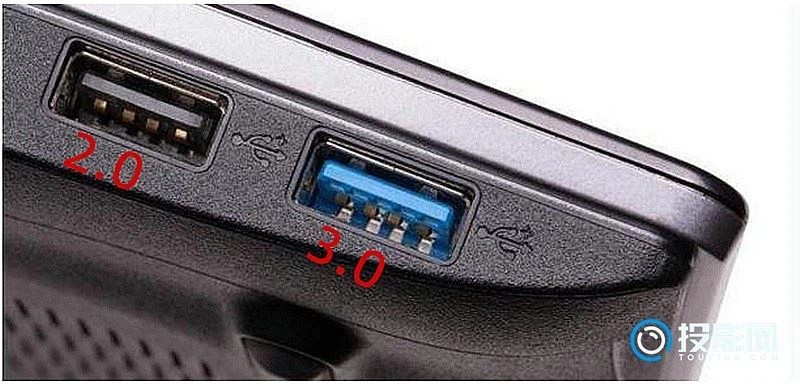
Tip: color is a helpful clue, not a guarantee — when in doubt, check the computer's spec sheet for "USB 3.0" (or "USB 3.1 / 3.2", which are also compatible).
Windows & Driver Updates
Complete all updates on the computer in advance:
- All major Windows updates installed
- NVIDIA graphics card driver updated
- Reboot after each update
- Non-critical apps removed from Startup Apps
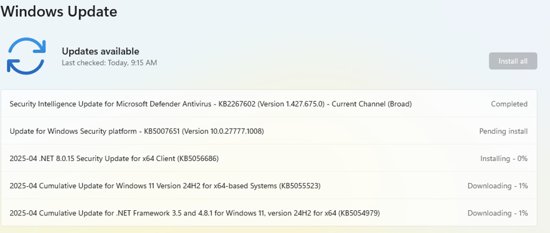
Microsoft ships a major Windows 11 feature update roughly once a year — the current one is version 25H2 (released September 2025), followed by monthly cumulative updates (most recently the August 2026 update). Some customers report scanning slowness in the days right after a major update — while it is pending or has just completed, it temporarily slows PC performance. Let the update finish fully before scanning; it can take up to 20 minutes.
Recommended
Daily Habits
- Leave the computer online a few hours per night so updates apply as needed
- Restart the PC on a daily basis
- Make sure there are no games installed on the computer